Your recordings stay yours
Audio and video are processed on your Windows computer instead of being uploaded to a transcription service.
Transcribe audio and video directly on your Windows PC. No cloud uploads. No external AI servers. Just private, local transcription with automatic speaker separation and clean, readable results.

Create an account, sign in to activate your trial, then download Vidrick on your Windows PC. Your audio is processed locally; internet access is needed for account setup, downloads, and license checks.
Open an audio or video file, select the language and speaker options, and start transcription. Processing time depends on your recording, settings, and hardware.
Read through the result in the editor. Check speaker assignments, names, and overlapping speech against your recording, and correct anything that needs attention.

Export your reviewed transcript as TXT or Word, or use SRT/VTT for subtitles. Start with a short recording to find the settings that work for you.
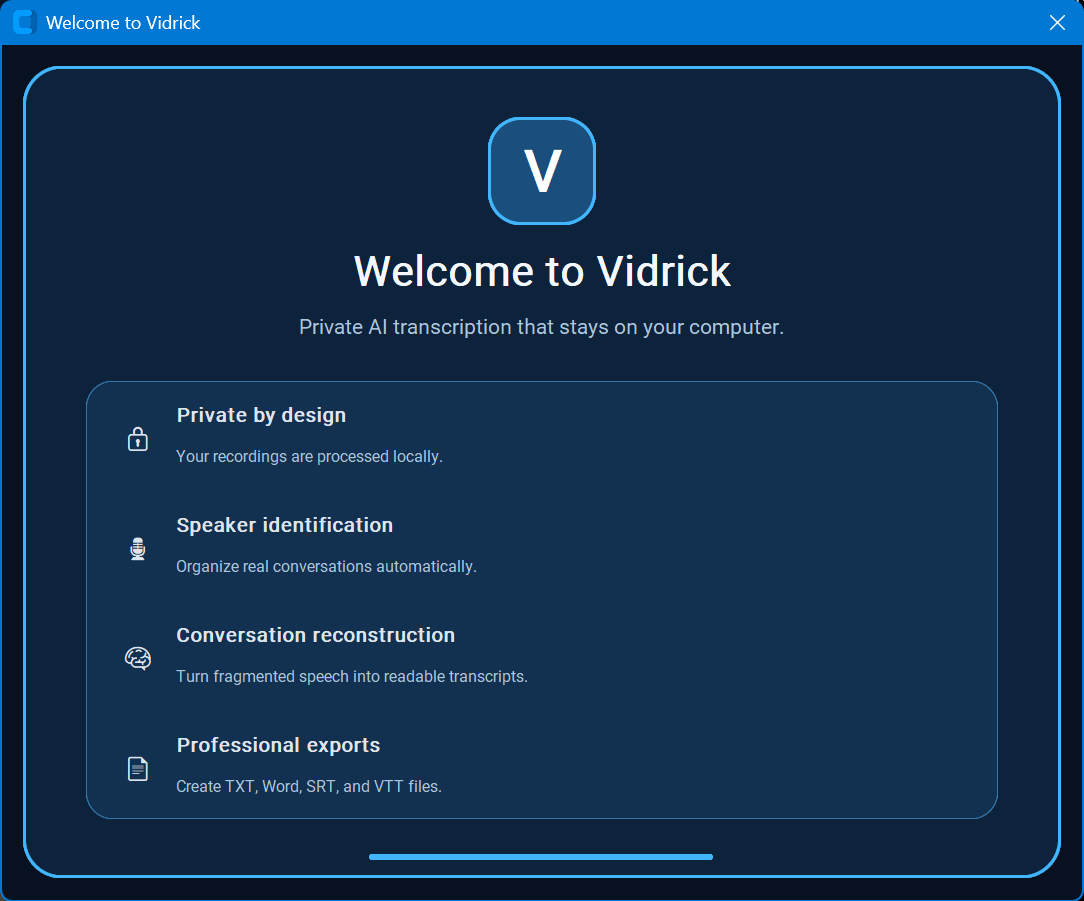
When Vidrick opens for the first time, the welcome screen highlights the core experience: private local processing, speaker identification, conversation reconstruction, and professional export options.
Choose your file, language, output format, and speaker count, then let Vidrick process it locally. Professional users can use compatible NVIDIA GPUs for dramatically faster transcription.
Vidrick turns raw speech into organized, readable conversations and saves the formats you choose. Your recordings and transcript workflow stay on your computer.
Review completed transcripts, make corrections, and save the finished version without sending your conversation to another service.
Pull the important information out of a transcript with structured summaries, key points, action items, owners, and deadlines — inside the same private desktop workflow.

Quickly find recent jobs, see how they were processed, and jump back to source files and output folders from your local history.

See your installed version, check for updates, review privacy information, and learn what powers Vidrick — all from inside the app.

Audio and video are processed on your Windows computer instead of being uploaded to a transcription service.
Automatic offline speaker diarization separates conversations into clear, organized speakers.
Professional unlocks GPU/CUDA processing on compatible NVIDIA hardware for much faster transcription.
Export TXT and DOCX transcripts or create SRT and VTT subtitle files from the same workflow.
Speaker 1:
Yeah...
Well...
I think—

Speaker 1:
we should probably...

Speaker 2:
Okay.
Speaker 1:
Yeah, I think we should probably move forward.

Speaker 2:
Okay.
Vidrick 4.2 brings together faster CPU processing and stronger speaker intelligence for interviews, meetings, podcasts, and everyday conversations. Recurring voices stay more consistent, conversational handoffs are cleaner, and the entire workflow remains private on your Windows PC.
Hardware-aware CPU use and fewer unnecessary speaker-analysis passes help reduce processing time while preserving transcription and speaker accuracy.
Recurring voices stay more consistent throughout a conversation, helping reduce fragmented or duplicate speaker labels.
Improved boundary analysis keeps brief replies, sentence endings, and rapid back-and-forth exchanges with the right speaker.
Interviews, meetings, podcasts, and multi-speaker recordings benefit from the same continuity-focused workflow, from short exchanges to long sessions.
Potential duplicate identities are compared against sustained voice patterns and consolidated only when repeated acoustic evidence supports the match.
Vidrick can infer the number of speakers without forcing a fixed count, while still preserving genuinely distinct participants.
All transcription, speaker identification, conversation reconstruction, insights, and exports continue to run on your Windows PC — your recordings stay yours.
Still private by design. Transcription and speaker processing continue to run locally on your computer.
Vidrick AI Transcriber 4.2 supports 57 named transcription languages plus Auto-detect. Choose the recording language directly, or let Vidrick detect it automatically.
Start with 7 days of Professional. Keep the speed of GPU/CUDA or move to Personal for private CPU transcription.
Private, unlimited local transcription for individuals who don’t need GPU acceleration.
For professionals who want everything to stay local without giving up the speed of GPU-accelerated transcription.
Private AI transcription for teams and organizations that need licensing, deployment support, and a path to broader rollout.
Open the Customer Portal to manage your plan, billing, activated computers, account security, and the latest Vidrick download.